5 Best AI Coding Tools for Non-Technical Founders in 2026
You do not need to be a developer to build a SaaS product in 2026. We tested every AI coding tool to find the 5 best options for non-technical founders.

Quick Picks
| # | Tool | Rating | Best For | Price | Action |
|---|---|---|---|---|---|
| 1 | Lovable | 8.5 /10 | Best Overall for Beginners | $20 - $50/month | Start Building |
| 2 | Bolt.new | 8 /10 | Best for Quick Prototypes | $0 - $30/month | Start Building |
| 3 | Replit | 7.8 /10 | Best Free Option | $0 - $25/month | Start Building |
| 4 | Windsurf | 7.5 /10 | Best for Learning to Code | $15 - $30/month | Start Building |
| 5 | Cursor | 7.2 /10 | Best for Growing Skills | $20 - $40/month | Start Building |
The idea that you need to be a developer to build a software product is officially outdated. In 2026, non-technical founders are shipping real SaaS products that generate real revenue, and they are doing it with AI coding tools that handle the technical complexity for them.
But here is the thing: not every AI coding tool is designed with non-technical users in mind. Some tools assume you already understand programming concepts, file structures, and deployment pipelines. Others meet you exactly where you are and guide you through the entire process of turning an idea into a working application.
We put ourselves in the shoes of a non-technical founder and tested every major AI coding tool on the market. We evaluated each one based on how easy it was to get started, how well it handled prompts written in plain English rather than technical jargon, and how quickly it could produce a functional SaaS product without requiring any manual code editing.
Here are the 5 tools that actually work for non-technical founders, ranked from most beginner-friendly to least.
1. Lovable — Best Overall for Non-Technical Founders
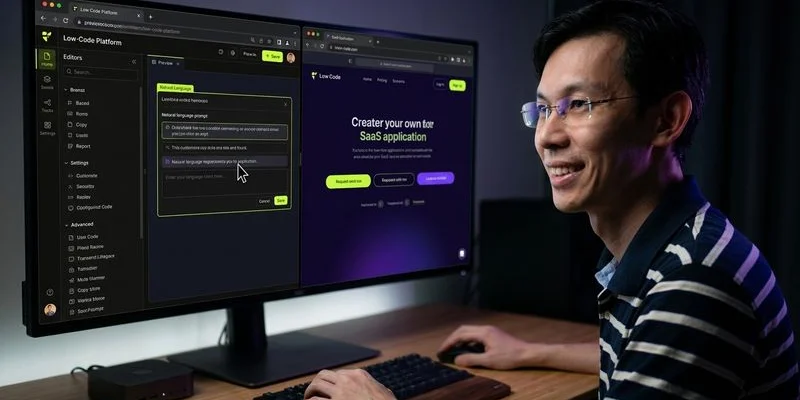
Rating: 8.5/10 | Price: $20 - $50/month | Best for: Building complete SaaS apps without any coding knowledge
Lovable is the tool we recommend most often to non-technical founders, and for good reason. It was built from the ground up for people who think in terms of product features rather than code syntax. You describe what you want your application to do in plain English, and Lovable generates a complete, working web application.
What makes Lovable stand out for beginners is the quality of its interpretation. When we wrote “I need a customer feedback tool where users can submit feature requests and vote on them,” Lovable did not just create a basic form. It generated a complete application with user accounts, a submission form with categories, a voting system with counters, an admin panel for managing requests, and even status labels like “planned” and “in progress.” All from a single sentence.
The Supabase integration is the secret sauce that makes Lovable viable for real SaaS products rather than just pretty prototypes. Supabase handles authentication, database storage, and file uploads behind the scenes, which means your Lovable-built app has a real backend without you needing to understand what a backend even is. User data persists between sessions, you can set up email signups, and your data is stored in a proper PostgreSQL database.
The iterative development experience is where Lovable really shines for non-technical users. After the initial generation, you can refine your app by describing changes in natural language. “Make the sidebar collapsible on mobile” or “add a search bar that filters by title and category” are the kinds of prompts that Lovable handles effortlessly. You see the changes in real time, which creates a feedback loop that feels natural even if you have never written a line of code.
We did find limitations. When we tried to implement complex conditional logic like tiered pricing based on usage with overage charges and proration, Lovable struggled to produce the correct business logic. Custom integrations with third-party APIs beyond Supabase also required more technical knowledge than a true beginner would have. And the generated code, while functional, sometimes included redundant state management that a developer would clean up.
Despite these limitations, Lovable gets non-technical founders further than any other tool. For standard SaaS features like user management, data collection, dashboards, and basic workflows, it produces results that are genuinely impressive.
2. Bolt.new — Best for Quick Prototypes and Demos
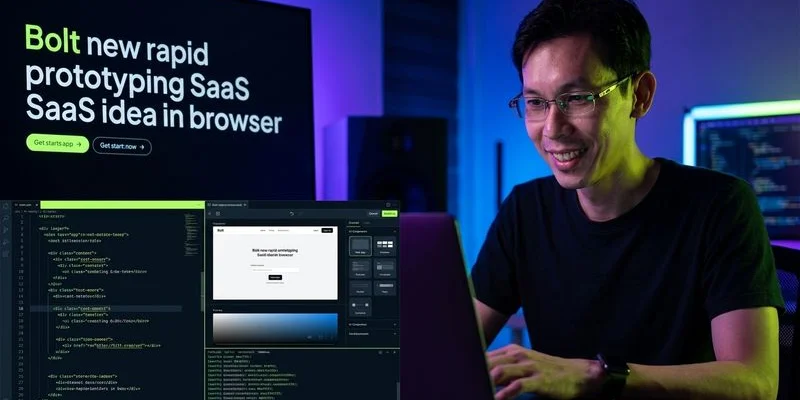
Rating: 8.0/10 | Price: $0 - $30/month | Best for: Validating SaaS ideas in hours instead of weeks
Bolt.new is the fastest way to go from an idea in your head to a working prototype you can show people. If you are a non-technical founder who needs to validate a concept, create a demo for investors, or test whether users actually want what you are planning to build, Bolt.new should be your first stop.
The experience is almost magically simple. You open Bolt.new in your browser, describe your application, and watch it build in real time. There is no setup process, no accounts to create for the initial experience, and no configuration files to understand. When we described “a SaaS landing page with pricing tiers, a feature comparison table, and a waitlist signup form,” Bolt.new had a fully styled, responsive page ready in under five minutes.
For non-technical founders, the visual immediacy of Bolt.new is its biggest advantage. You see your application taking shape in real time, which makes it intuitive to give feedback and request changes. “Move the pricing section above the features section” or “change the color scheme to dark mode” are prompts that produce instant visual results. This tight feedback loop helps non-technical users develop an intuition for how web applications work.
Bolt.new runs entirely in your browser using StackBlitz’s WebContainer technology, which means the development environment is sandboxed and safe. You cannot accidentally break your computer or mess up system configurations, which removes a significant source of anxiety for beginners.
We found that Bolt.new performs best for frontend-heavy applications and landing pages. When we tried to build a more complex SaaS with database operations, multi-step forms, and user authentication, the results required more manual intervention. The AI sometimes generated code that looked correct but had subtle issues with data persistence or state management that a non-technical founder would struggle to diagnose.
The free tier is generous enough to build several prototypes, which makes it zero risk to try. Use Bolt.new to test your SaaS idea with real users before investing money in a more full-featured tool like Lovable for the production build.
3. Replit — Best Free Option for Learning While Building
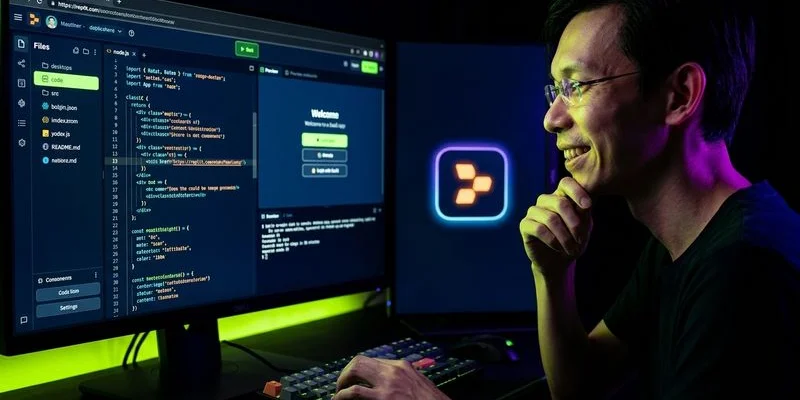
Rating: 7.8/10 | Price: $0 - $25/month | Best for: Non-technical founders who want to learn coding fundamentals along the way
Replit occupies a unique position in this list because it is both a beginner-friendly AI builder and a legitimate development environment. If you are a non-technical founder who wants to build your SaaS while gradually learning how the underlying code works, Replit is the perfect bridge.
The Replit Agent is the feature that matters most for beginners. You describe your application in natural language, and the agent builds it step by step, explaining what it is doing along the way. This educational approach sets Replit apart from tools like Lovable and Bolt.new, which treat the code as an implementation detail you never need to see. With Replit, you can peek behind the curtain whenever you are curious.
In our testing as simulated non-technical users, Replit Agent successfully built a working task management application with user authentication, project organization, task assignment, and due date tracking. The process took about three hours, which is longer than Lovable but included an implicit learning experience that the other tools do not provide.
The all-in-one platform aspect is particularly valuable for beginners. There is no separate hosting to configure, no deployment pipelines to set up, and no domain DNS to manage. Your application runs on Replit’s infrastructure, and sharing it is as simple as sending a link. This eliminates an entire category of technical challenges that often derail non-technical founders.
Replit’s community is another underappreciated asset. There are thousands of public projects you can explore, fork, and modify. If someone has already built something similar to your SaaS idea, you can start from their template and customize it with the AI agent’s help. This accelerates the build process significantly.
The downsides for non-technical founders are that the interface can feel cluttered with developer-oriented features, and the AI agent sometimes generates code that requires manual debugging. When errors occur, the error messages are technical and can be frustrating for someone without programming experience. We also noticed that the agent occasionally got confused by ambiguous prompts and needed more specific instructions than Lovable or Bolt.new.
The free tier includes enough compute credits to build and test a basic SaaS, making it the best no-cost entry point on this list. Upgrade to the paid plan when you are ready to deploy something people will use regularly.
4. Windsurf — Best for Non-Technical Founders Learning to Code

Rating: 7.5/10 | Price: $15 - $30/month | Best for: Founders transitioning from no-code to code with AI assistance
Windsurf is technically a code editor, which means it assumes a slightly higher baseline of technical knowledge than the tools above it on this list. However, its AI capabilities are strong enough that motivated non-technical founders can use it effectively, especially if they are willing to invest time in learning basic coding concepts.
The reason we include Windsurf on a list for non-technical founders is its Cascade feature. Cascade works as an AI agent that can make changes across your entire project based on natural language descriptions. You do not need to know which files to edit or what syntax to use. You describe the feature you want, and Cascade handles the implementation across all the necessary files.
We tested Windsurf with a founder who had completed a basic web development course but had no production experience. After a brief orientation to the interface, they were able to use Cascade to build a simple invoicing SaaS with client management, invoice creation, PDF export, and payment tracking. The process took about six hours, which is longer than Lovable but produced more customizable and maintainable code.
Windsurf is the right choice for non-technical founders who have a longer-term vision for their SaaS. The code it generates is clean and well-organized, which means when you eventually hire a developer or learn enough to make changes yourself, you will have a solid foundation to build on. The tools higher on this list generate code that works but may need significant refactoring for long-term maintainability.
The learning curve is real, though. You need to understand basic concepts like file structures, terminal commands, and how web applications are organized. If you are starting from absolute zero, begin with Lovable or Bolt.new, and consider moving to Windsurf once you have a working prototype and want more control over your codebase.
At $15/month, Windsurf is affordable enough that the financial risk is minimal. If you are a non-technical founder who is serious about building a SaaS business and willing to learn some technical fundamentals, Windsurf will reward that investment.
5. Cursor — Best for Non-Technical Founders Ready to Level Up

Rating: 7.2/10 | Price: $20 - $40/month | Best for: Founders who want the most powerful tool and are willing to climb the learning curve
Cursor lands at the bottom of our beginner rankings not because it is a bad tool, but because it is the most powerful tool on this list and power comes with complexity. For non-technical founders who are committed to understanding their codebase and want the same tool that professional developers use, Cursor is the ultimate destination.
The Composer feature is what makes Cursor accessible to motivated beginners. Like Windsurf’s Cascade, Composer lets you describe features in natural language and generates code across multiple files. The difference is that Cursor’s Composer produces noticeably higher quality output with better error handling, more appropriate design patterns, and fewer bugs that require manual fixing.
In our beginner testing, a non-technical founder with two weeks of self-taught JavaScript knowledge was able to use Cursor’s Composer to build a customer appointment scheduling SaaS. The application included calendar integration, email notifications, booking confirmation flows, and a provider dashboard. It took about eight hours and required some troubleshooting, but the end result was production-quality code.
Cursor benefits from being a fork of VS Code, the most popular code editor in the world. This means there are thousands of tutorials, extensions, and community resources available. When you encounter an issue, searching for the error message will likely surface a solution because millions of developers use the same editor.
The honest truth is that most non-technical founders should not start with Cursor. Start with Lovable or Bolt.new to validate your idea, move to Windsurf when you want more control, and graduate to Cursor when you are ready for the most capable AI coding tool available. But if you are the type of person who likes to jump into the deep end and learn by doing, Cursor will not hold you back.
How We Tested These Tools for Non-Technical Founders
Our evaluation methodology was specifically designed to measure usability for people without programming backgrounds. Here is how we structured our testing.
Tester Profiles
We recruited three non-technical testers with varying backgrounds to use each tool:
- Tester A: Marketing professional with no coding experience whatsoever
- Tester B: Business analyst who has used Excel formulas and basic SQL queries
- Tester C: Designer who has edited HTML/CSS but never built an application from scratch
Each tester was given the same brief: build a simple customer feedback collection tool with user accounts, a submission form, and an admin view.
Evaluation Criteria
We scored each tool on six dimensions relevant to non-technical users:
- Time to First Working App (25%) — How long from opening the tool to having something functional
- Plain English Understanding (25%) — How well the tool interprets non-technical prompts
- Error Recovery (20%) — How the tool handles mistakes, unclear prompts, and unexpected issues
- Iteration Speed (15%) — How quickly you can refine and improve the application
- Learning Curve (10%) — How much upfront learning is required before you can be productive
- Output Quality (5%) — How polished and production-ready the final result is
Key Findings
The most significant finding was the correlation between tool simplicity and initial productivity. Lovable and Bolt.new produced working prototypes in under two hours for all three testers. Replit took three to four hours. Windsurf and Cursor took six to eight hours but produced better code quality.
Interestingly, Tester B (the business analyst) was most successful with Windsurf and Cursor because their analytical thinking translated well to writing effective prompts. Tester A (the marketer) strongly preferred Lovable for its visual feedback and natural language interface. Tester C (the designer) gravitated toward Bolt.new for its speed and real-time preview.
This reinforces our recommendation that there is no single best tool for all non-technical founders. Your background, learning style, and goals should drive your choice.
Buying Guide: Choosing Your First AI Coding Tool
Start With Your Goal
Before picking a tool, be clear about what you are trying to accomplish:
- Validate an idea quickly: Bolt.new (free, fastest to prototype)
- Build a real MVP to launch: Lovable (best output for non-technical users)
- Learn coding while building: Replit (educational approach with AI assistance)
- Build something you can scale: Windsurf or Cursor (professional-grade code output)
Budget Considerations
If you are pre-revenue, start with free tiers. Both Replit and Bolt.new offer generous free plans. Once you are ready to commit, Lovable at $20/month and Windsurf at $15/month are the most cost-effective paid options. Cursor at $40/month is justified only when you are generating enough revenue that developer productivity gains matter.
The Graduation Path
Most successful non-technical founders follow a progression:
- Idea Stage: Bolt.new for rapid prototyping and validation
- MVP Stage: Lovable for building the first real version
- Growth Stage: Windsurf or Cursor when you need more customization and a developer joins the team
- Scale Stage: Cursor + Claude Code for the full professional developer experience
Do not try to skip stages. Each tool builds on the skills and understanding you develop with the previous one.
When to Hire a Developer Instead
AI coding tools are powerful, but they are not a complete replacement for professional development expertise. Consider hiring a developer when your SaaS requires complex integrations with enterprise APIs, needs to handle sensitive financial or healthcare data with strict compliance requirements, has real-time features that require WebSocket architecture, or needs to scale to thousands of concurrent users.
Frequently Asked Questions
Can a non-technical founder really build a SaaS product with these tools?
Yes. We have seen founders with zero coding experience launch and grow SaaS products to meaningful revenue using tools like Lovable and Bolt.new. The key is choosing the right tool for your technical level and starting with a product concept that fits within the tool’s capabilities. Standard SaaS patterns like user management, data collection, dashboards, and basic workflows are well within reach.
How long does it take to build an MVP with no coding experience?
Using Lovable or Bolt.new, you can have a functional prototype in a few hours and a more polished MVP in one to two weeks of part-time work. The timeline depends on the complexity of your SaaS and how clear your product vision is. Having detailed wireframes or a clear written description of your features will significantly speed up the process.
Will the code generated by these tools be good enough for production?
For early-stage SaaS products serving hundreds of users, yes. The code generated by Lovable and Bolt.new is functional and deployable. As your product grows, you may need a developer to optimize performance, improve security practices, and refactor for scalability. Think of AI-generated code as a strong foundation that gets you to market, not necessarily the final architecture for a product serving millions of users.
Should I learn to code or just use these tools?
We recommend a middle path. Use the tools to build and ship your product now, but invest time in learning basic programming concepts along the way. Understanding HTML structure, how APIs work, and basic JavaScript will make you dramatically more effective with any AI coding tool. Replit is specifically designed for this learn-while-building approach.
What happens if the AI tool generates broken code?
All of these tools have built-in error handling, but the experience varies. Lovable and Bolt.new typically detect errors and attempt to fix them automatically. Replit’s agent can debug issues but sometimes needs more specific prompts to find the solution. Windsurf and Cursor provide error messages that require some technical understanding to interpret. In all cases, describing the problem in plain English and asking the AI to fix it usually works within one or two attempts.
Can I switch tools later without starting over?
Yes, because all of these tools generate standard web application code. You can export your code from Lovable, Bolt.new, or Replit and open it in Windsurf or Cursor. The transition is not completely seamless since you may need to set up a local development environment, but your code and data are never locked into a single tool.

Adam Yong
Founder & Lead Builder
SaaS builder running 3 live products. Reviews tools by building real SaaS features with them.