How to Build a High-Converting SaaS Landing Page with AI in 30 Minutes

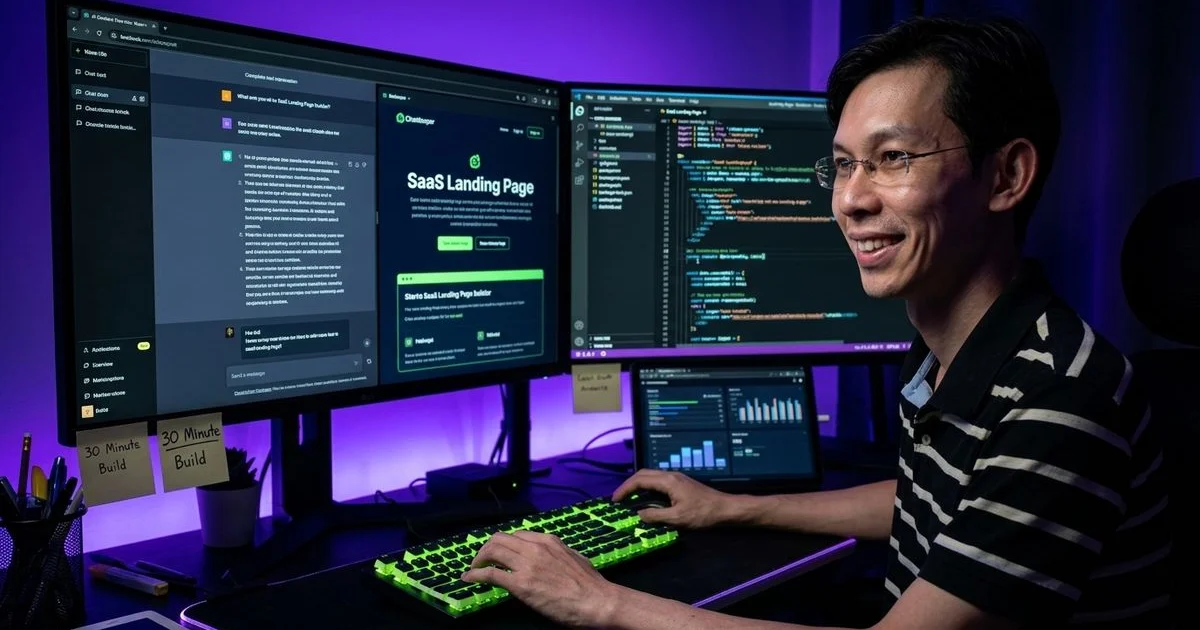
We know how frustrating it is to spend weeks coding, only to realise you desperately need to learn How to Build a High-Converting SaaS Landing Page with AI in 30 Minutes. Your landing page serves as the first impression, sales pitch, and primary trust signal all rolled into one. A mediocre product with a clear message will easily outperform a superior product hidden behind confusing copy.
Our team of product review and comparison experts learned this lesson the hard way after two failed launches. Recent 2025 data from Unbounce shows the average SaaS landing page conversion rate sits around 9.5 percent. Many startups struggle to hit even 3 percent.
We are going to show you exactly how to beat those averages. This guide breaks down the entire process from start to finish. The steps below outline the exact workflow to go from a blank document to a deployed site.
Step 1: Write Your Positioning Before Touching Any Tool (5 Minutes)
Our first rule is to keep the AI coding tools closed until you nail down your messaging. A staggering 42 percent of startups fail simply because there is no market need for their product, according to 2026 data from DemandSage. Clear positioning ensures your audience understands exactly why your product matters.
We always start by opening a basic text document to answer four specific questions. These answers become the structural foundation for every single section on the final page. Getting this right prevents massive headaches down the line.
- Who is this for? Be highly specific. For example, “Freelance designers managing client feedback” works much better than just “designers.”
- What problem does it solve? State one clear problem using the customer’s exact words. Try something like, “Stop losing client feedback across email and Slack.”
- What is the outcome? Describe life after using the product. A good example is, “All feedback organised by project with automated follow-ups.”
- Why should they trust you? Highlight early traction, personal experience, or social proof.
Our experience shows that skipping this step forces the AI to generate generic copy. Taking five minutes to define these points saves hours of editing later. Generic pages simply do not convert visitors into buyers.
Step 2: Generate the Page Structure with AI (10 Minutes)
We now move to the generation phase using specific platforms. You should open Lovable because it generates visually polished results extremely fast and deploys instantly. The tool Bolt.new serves as a solid alternative if you prefer more code-level control.
Our standard workflow relies on a very specific prompt structure to get the best results. Giving the AI exact parameters removes the guesswork completely. Here is the exact prompt template to use:
“Build a SaaS landing page for [product name]. [Paste your four positioning answers]. The page should include a hero section with a headline and email capture, a problem/solution section, three key features with icons, social proof, a pricing preview, and a final CTA. Use a modern dark theme with [your brand colour] accents, utilising Tailwind CSS for styling. Make it responsive and fast-loading.”
We always include the positioning answers directly in the prompt. Lovable generates a beautiful but completely generic page without those specific details. The resulting copy becomes highly compelling from the very first generation when you provide that context.

Step 3: Refine the Copy (5 Minutes)
Our team expects the AI-generated copy to be about 70 percent complete on the first try. The core structure and flow will look solid, but the specific language always needs sharpening. A 2025 Unbounce report highlights that benefit-driven headlines drastically outperform generic feature lists.
We make these specific changes to every single page before publishing:
- Hero headline: Replace anything generic with a specific outcome. Change “Streamline Your Workflow” to “Stop Losing Client Feedback Across 5 Different Tools.”
- Subheadline: Add a clear time or effort element. A phrase like “Get all client feedback in one dashboard, set up in 2 minutes” tells the visitor exactly what to expect.
- Feature descriptions: Swap feature language for benefit language. Turn “AI-powered categorization” into “Feedback automatically sorted by priority so you fix critical issues first.”
- CTA buttons: Use action-specific text. Change a boring “Get Started” button to “Start Collecting Feedback Free” so users know what happens next.
We apply these edits by prompting Lovable with direct instructions. Try telling the AI, “Change the hero headline to [your headline] and update the CTA button text to [your text].” The platform applies these copy changes instantly without breaking the existing layout.
Step 4: Add Waitlist or Email Capture (5 Minutes)
Our fundamental belief is that a landing page without a conversion mechanism is just a brochure. You must capture interest immediately, whether that involves a waitlist signup or an early access request. Capturing this data validates your idea before you write a single line of backend code.
We recommend three distinct approaches for a pre-launch SaaS:
- Option A: Waitlist form. Use a simple email input that sends data to your backend. Services like Formspree, Buttondown, or an embedded Google Form work perfectly if you lack a backend.
- Option B: Supabase-powered signup. Create a
waitlisttable if your product uses Supabase, and have the form insert records directly. This builds a real database of interested users from day one. - Option C: Stripe early-bird pricing. Skip the waitlist and go straight to early-bird paid signups if you feel confident. Setting up a Stripe Checkout link for Malaysian users handles MYR transactions seamlessly and proves real demand.
We always ask Lovable to place an email capture form in the hero section and a second one above the footer. Adding a brief privacy note below the input field helps build credibility. Testing shows that two capture points consistently outperform a single form.
Step 5: Add Trust Signals (3 Minutes)
Our early projects often had zero users, but we still found ways to establish strong credibility. Data from Gitnux in 2025 reveals that 68 percent of customers leave a SaaS product if they feel the company lacks transparency. Adding specific trust signals helps bridge that gap immediately.
We rely on these four proven methods to build trust before launch:
- Personal credibility: Mention your background directly. Stating “Built by a developer who managed 200+ client projects” acts as a massive trust signal.
- Technology stack: List your infrastructure. Highlighting that the app is “Built with Next.js, Supabase, and Stripe” shows developers you use reputable tools.
- Methodology: Share your research. A phrase like “Based on 3 years of client feedback management research” proves your expertise.
- Early numbers: Share your waitlist count. Saying “47 people on the waitlist” creates authentic social proof.
We strictly avoid faking testimonials or inflating subscriber numbers. Real trust beats manufactured hype every single time. Lead with your own professional experience if that is the only asset you currently have.
Step 6: Deploy and Go Live (2 Minutes)
Our preferred tools deploy to a preview URL automatically so you can share it immediately. Getting a custom domain set up takes just a few extra clicks. Speed is critical because a 2026 Tenet study shows websites loading in one second see conversion rates as high as 40 percent.
We typically choose from these three deployment options:
- Lovable’s built-in hosting: This works great for initial validation. Share the direct Lovable URL with potential users to see if they sign up.
- Vercel for production: Export the code, push it to GitHub, and connect it to Vercel. Vercel’s global Edge Network ensures sub-20 millisecond latency even in regions like Kuala Lumpur, which keeps load times lightning fast.
- Cloudflare Pages: This provides another excellent option featuring a generous free tier and fast global performance.
We expect a standard landing page deployment to take less than two minutes. Any process taking longer than that means the setup is overly complicated. Keep the architecture simple to avoid unnecessary delays.

The Sections That Convert
Our team has built and tested dozens of landing pages to identify the specific layouts that drive signups. Visitors need clear, structured information to make a fast decision. A 2025 Pixelswithin benchmark report notes that offering a 14-to-21-day trial in your final CTA maximises engagement without increasing free-rider risk.
We always include these five mandatory sections:
- Hero with specific headline and email capture. This section drives 60 to 70 percent of all conversions. Nothing else matters if your hero fails to convert.
- Problem section. Describe the specific pain points in vivid detail using three bullet points. This builds immediate empathy and urgency.
- Solution preview. Include a screenshot, mockup, or short video clip of your product. Gitnux data shows including a video can increase conversion rates by up to 80 percent.
- Social proof. Add real testimonials, user counts, or a logo bar to answer the question, “Why should I trust this company?”
- Final CTA. Repeat the email capture or signup button at the very bottom. Many visitors scroll down the entire page before deciding to convert.
What to Skip
Our earliest landing pages failed because we cluttered them with unnecessary information. Extra elements slow down the page and distract the user from the primary goal. Data shows that pages taking longer than three seconds to load suffer a massive spike in bounce rates.
We strictly exclude these four elements from any initial launch page:
- Pricing tables with multiple tiers. Offering one simple plan or a “starting at” price provides enough context for early users.
- Feature comparison matrices. Nobody wants to read a dense chart on a first visit.
- Blog links. External links pull visitors away from the main conversion funnel.
- Complex animations. Heavy graphics slow down load times and add zero value to the actual conversion rate.
We save all the heavy content for the post-launch marketing strategy. A lean, fast website will always outperform a heavy, slow one. Keep your focus strictly on acquiring that first cohort of users.
After Launch: Measure and Iterate
Our work really begins once the page goes live and traffic starts flowing. You must track both unique visitors and total signups to calculate your exact conversion rate. A healthy SaaS landing page converts between 3 and 8 percent of its visitors.
We immediately monitor these three critical metrics during the first week:
- Total unique visitors: This shows if your top-of-funnel marketing is working.
- Bounce rate: High numbers here indicate the page load speed is too slow.
- Email capture conversions: This proves your positioning actually resonates with the market.
We revisit the positioning answers from Step 1 if the conversion rate drops below 2 percent. Gitnux reports that B2B SaaS companies spend approximately 92 percent of their first-year revenue to acquire a customer. Improving that initial conversion rate drastically reduces your total customer acquisition cost.
We use AI to rapidly generate five new headline variations for A/B testing. Deploying a different headline each day helps identify exactly what messaging works best. Speed allows you to test ideas, validate earlier, and launch before your competition even finishes their wireframes.
Final Thoughts on How to Build a High-Converting SaaS Landing Page with AI in 30 Minutes
We used to spend a full week waiting on designers and developers to build a single page. Now, understanding How to Build a High-Converting SaaS Landing Page with AI in 30 Minutes completely changes the game. The barrier to entry has never been lower for ambitious founders.
Our final piece of advice is to stop overthinking the design and start validating the market. Open a text document right now, answer the four positioning questions, and let the AI do the heavy lifting. Launch your page today and start collecting those critical first signups.

Adam Yong
Founder & Lead Builder
SaaS builder running 3 live products. Reviews tools by building real SaaS features with them.