7 Costly Mistakes Every Vibe Coding Beginner Makes (And How to Avoid Them)

We have spent years as product review and comparison experts analysing the fallout from rushed development cycles, allowing us to break down the 7 Costly Mistakes Every Vibe Coding Beginner Makes (And How to Avoid Them). The speed of vibe coding is intoxicating right now. You go from a rough idea to a working prototype in hours instead of weeks.
Our team has shipped three production SaaS products built primarily with AI coding tools. Each project taught us something painful about the blind spots this speed creates.
Speed without structure is just a faster way to build technical debt.
We will walk through the exact fixes that would have saved us days of debugging and thousands in lost revenue. This guide looks at the data, what it is actually telling us, and then explores a few practical ways to respond.
The most dangerous oversight usually happens on day one.
1. Skipping Authentication Until Later
The core mistake involves building the entire product first and then trying to bolt on authentication at the end. The AI tool generates a beautiful app with no concept of users or protected routes.
Our engineers see this constantly when reviewing rushed applications. When you finally add auth, you discover that your database schema and frontend state all need complete restructuring.
Authentication feels boring compared to building exciting new features. AI tools are happy to generate feature after feature without ever asking who the user actually is.
The Legal Cost of Delayed Security
We cannot overstate the financial risk of ignoring this step in Malaysia. The Personal Data Protection Act (PDPA) amendments strictly enforce severe penalties for data protection breaches.
Fines now reach a maximum of RM1,000,000. Data controllers also face potential imprisonment for up to three years under the latest 2026 enforcement guidelines.
Our compliance audits show that developers often miss the new mandatory 72-hour Data Breach Notification requirement. A poorly bolted-on auth system is the fastest way to expose user data and invite regulatory scrutiny.
The Immediate Fix
Our standard procedure always begins with strict instructions about the auth system. Everything else builds safely on top of that foundation.
- Set up user signup and session management first.
- Configure Row Level Security policies from day one if using Supabase.
- Wrap your app in the auth provider before building anything else if using NextAuth or Clerk.
- Implement role-based access control immediately.
We use tools like Cursor to handle the heavy lifting. The security logic remains our primary responsibility.
2. Trusting AI-Generated Code Without Reading It
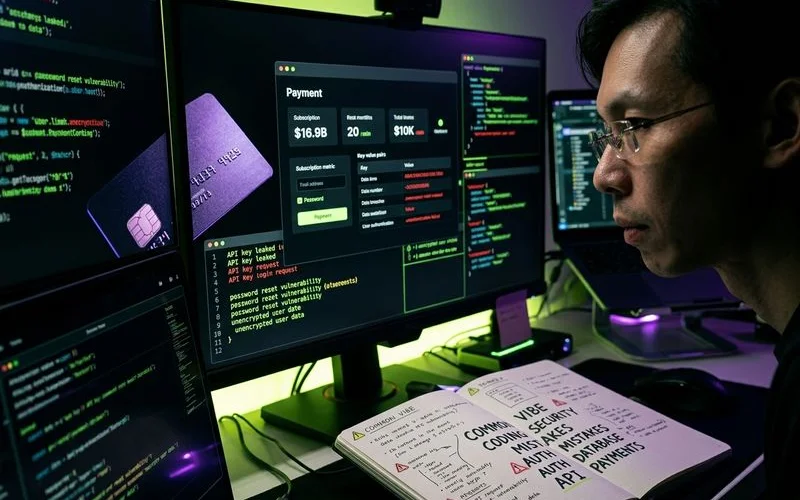
The AI generates 200 lines of code perfectly, and you simply move on. Three weeks later, you discover it created an API endpoint that exposes every user’s data to any authenticated request.
Our security audits frequently uncover passwords stored in plain text or SQL queries vulnerable to injection. Vibe coding creates a false sense of security where working code is assumed to be secure code.
The data on this is highly concerning for new developers.
The Reality of AI Vulnerabilities
We look at the 2025 GenAI Code Security Report from Veracode, which analysed over 100 large language models. The report found that 45% of AI-generated code introduces OWASP Top 10 vulnerabilities.
These flaws were present across major language models. Java applications demonstrate failure rates exceeding 70% in recent AI code audits.
Our experts note that fewer than half of developers review AI-generated code before committing it to production. This oversight transforms a minor coding shortcut into a massive security breach.
Critical Review Areas
We recommend focusing your manual reviews on specific high-risk zones.
- Authentication flows
- Database queries
- API endpoints
- Payment processing
You do not need to understand every single line. Ask the AI to explain its security approach for these critical paths.
Our team treats a vague answer as a massive red flag.
3. No Error Handling Anywhere
The happy path always works perfectly during your local tests. A user with good internet and a modern browser has a great experience.
Our testing shows that the moment something goes wrong, the app crashes silently or shows a white screen. A network timeout or an invalid email format easily breaks the entire flow.
AI coding tools optimise heavily for the demo phase. They generate code that functions flawlessly only when all conditions are ideal.
The Cost of Silent Failures
We look at the IBM Rule of 100 to understand the true cost of these omissions. Fixing a bug found in production costs up to 100 times more than addressing it during the design phase.
Recent 2026 app retention data shows that roughly 25% of users abandon an application permanently after just one frustrating session. A silent crash guarantees those users will never return.
| Development Stage | Relative Cost to Fix | Estimated Time Required |
|---|---|---|
| Design & Planning | 1x ($100) | 30 minutes |
| Coding Phase | 10x ($1,000) | 4 hours |
| Production Release | 100x ($10,000) | 2 to 5 days |
We explicitly prompt the AI to add error handling after building each feature. Integrate tools like Sentry or Datadog to log errors automatically.
Your users will encounter errors, so ensure they see a helpful message instead of a blank screen.
Our preferred prompt specifically asks the AI to handle network failures and manage invalid input.
4. Building Without Version Control
You vibe code for six hours straight, making dozens of changes across multiple files. Then the AI introduces a breaking change that cascades through your entire application.
Our teams have seen developers lose entire days of work because they had no way to revert to a working version. Version control feels like unnecessary overhead when you are moving at maximum speed.
You might think you will commit the code when the feature is completely finished. In vibe coding, you are never truly done because you are constantly iterating and tweaking.
The Productivity Drain
We rely on research from the University of California, Irvine, regarding this exact problem. Their data shows that a single context switch or interruption takes an average of 23 minutes to recover from. Losing your codebase state forces a massive, frustrating context switch.
Our developers commit roughly every 15 to 20 minutes during a heavy vibe coding session. Commit your code after every single working state. Do not do it every five minutes, but rather every time you complete a meaningful change.
Best Practices for Rapid Commits
We advise using GitHub Free as it provides more than enough capacity to back up these rapid iterations securely.
- Use descriptive commit messages.
- Run
git diffto see exactly what changed. - Use
git stashorgit checkoutto recover from AI hallucinations. - Create separate branches for experimental features.
This simple discipline prevents catastrophic data loss.
Our standard workflow ensures you always have a safe checkpoint to return to.
5. Ignoring Database Design
You let the AI create database tables on the fly as new features are built. You end up with redundant columns, inconsistent naming, and no foreign keys.
Our database architects regularly rescue projects where the schema makes it impossible to query data efficiently. Six months in, every new feature requires a painful, high-risk migration.
AI tools naturally create database schemas in a reactive manner. You ask for a comments feature, and the AI simply creates an isolated comments table.
The Technical Debt Trap
We track industry benchmarks showing that development teams spend 30% to 50% of their time fixing bugs and dealing with technical debt. A poorly planned database is the biggest contributor to this wasted time.
Current 2026 software analysis reveals that fixing architecture later costs 3 to 5 times more than planning it properly upfront. Rushing this step guarantees severe performance bottlenecks down the line.
| Approach | Initial Setup Time | Future Migration Effort | Long-term Stability |
|---|---|---|---|
| Reactive AI Generation | 2 minutes | 30+ hours | Very Low |
| Upfront Schema Design | 30 minutes | Minimal | High |
We strongly recommend designing your complete database schema before building any features. List your entities, define their relationships, and map out the required fields.
A thirty-minute investment in planning saves you from catastrophic migration pain later.
Our best practice is to give this detailed schema to the AI as context before generating any application code.
6. Not Testing Payments in Production Mode
Your Stripe integration works flawlessly in test mode. You flip the switch to production and immediately discover that your webhook URL is still pointing to your local machine.
Our launch reviews frequently catch Price IDs left in test mode or incorrectly configured webhook secrets. Real customers then experience embarrassing payment errors on launch day.
The test environment is so seamless that it creates a dangerous, false sense of completion. Everything appears to work perfectly, leading you to ship the product prematurely.
Malaysian Market Compliance
We must highlight a critical step for developers operating in Malaysia. Stripe enforces stringent requirements for local businesses, especially regarding the new e-invoicing mandates that started in 2025.
You must now provide your Tax Identification Number (MY TIN), Sales and Services Tax number (SST), and Business Registration Number (BRN) issued by the Companies Commission of Malaysia (SSM). Failing to provide this accurate tax information means you will not receive government-verified e-invoices.
Pre-Launch Checklist
Create a strict pre-launch checklist specifically for your payment flows to avoid delays. It prevents the most stressful and costly failures you can face on day one.
- Switch all Stripe API keys from test to live mode.
- Create new Products and Prices in your live environment.
- Register your production URL as a new webhook endpoint.
- Update your Stripe dashboard with your MY TIN and BRN.
Our standard launch protocol mandates finishing this entire verification checklist. This simple validation process guarantees a smooth transition to live transactions.
We advise running a live test with a real card by charging and refunding one Ringgit before making any public announcements.

7. Building Too Many Features Before Launching
You keep adding features endlessly simply because the coding process is so fast. Your product soon has a user dashboard, an admin panel, deep analytics, and complex team management.
Our product strategists see this constantly, where the application has absolutely everything except paying users. You spend three months building and zero months validating if the market actually wants your solution.
Building feels incredibly comfortable, while launching feels terrifying. AI tools remove the friction of creation, making it easy to hide behind feature development.
The Validation Reality
We know from user experience research that 68% of users will abandon an application after encountering just two bugs. The more features you build without testing, the larger your surface area for these deal-breaking errors becomes.
Recent 2026 mobile app retention benchmarks show that average user retention drops to just 7% by Day 30. Adding more unvalidated features will not save a product that fails to deliver immediate core value.
The Lean Approach
Define your strict launch scope before you write a single line of code. Write down the three specific features that make your product genuinely useful to a customer.
Our advice is to build those three features and stop there entirely. Launch the product, gather real feedback, and use that rapid coding speed to iterate based on actual user behaviour.
We focus heavily on perfecting the core workflow instead of building fifty mediocre extras.
Overcoming the 7 Costly Mistakes Every Vibe Coding Beginner Makes (And How to Avoid Them)
The recurring pattern across all seven mistakes is identical. Vibe coding makes building so fast that you skip the critical thinking periods that usually happen between sessions.
Our experience with traditional development shows that implementation friction naturally gives you time to reconsider bad decisions. When an AI tool generates a complex feature in ten minutes, you lose that built-in reflection time.
You must force deliberate pauses into your workflow.
Forcing Strategic Pauses
We recommend spending five minutes writing down exactly what you are building and why before you start. Tools like Cursor and Lovable are extraordinarily powerful assets for any developer. Power without proper discipline simply means you will fail much faster.
Our final piece of advice is to slow down at the critical moments covering authentication, security, payments, and launch preparation. Let the AI handle the raw speed everywhere else.
This is how you conquer the 7 Costly Mistakes Every Vibe Coding Beginner Makes (And How to Avoid Them).

Adam Yong
Founder & Lead Builder
SaaS builder running 3 live products. Reviews tools by building real SaaS features with them.